Description
Create Passport Photos Faster, Arrange Multiple Copies, and Prepare Print-Ready Sheets
Passport Photo Studio is a simple Windows application designed for photocopy shops, photo studios, cyber cafés, document centres, and other businesses that regularly prepare passport-size photos for customers.
Instead of repeatedly adjusting photos in general-purpose editing software, Passport Photo Studio gives you a focused workflow for preparing, arranging, and exporting passport-photo sheets from one application.
Platform: Windows
Product Type: Digital Download
Delivery: Secure Download
Account Access: Included
Future Updates: Available according to your product upgrade entitlement
Demo Link:
https://app.shrimo.com/demos/passport-photo-studio-demo/
Product Highlights
- Simple Passport Photo Workflow
- Multiple Passport-Size Photo Copies
- Photo Crop and Position Controls
- Zoom and Rotation Controls
- Brightness and Image Adjustments
- Background Adjustment Options
- Name or Text Support Where Available
- Multiple Photos on a Single Sheet
- Print-Ready Sheet Preparation
- JPG or Supported Export Options
- Designed for Repeated Shop Use
- Windows Desktop Application
Made for Everyday Passport Photo Work
If you regularly create passport photos for customers, repeating the same crop, resize, copy, and layout process can take unnecessary time.
Passport Photo Studio brings the important steps together in one focused application.
The workflow is simple:
1. Add the Customer Photo
Import the photograph you want to prepare.
2. Adjust the Photo
Crop, position, zoom, rotate, and make available image adjustments.
3. Choose the Required Size
Prepare the photograph according to the required passport or ID photo dimensions supported by the application.
4. Select the Number of Copies
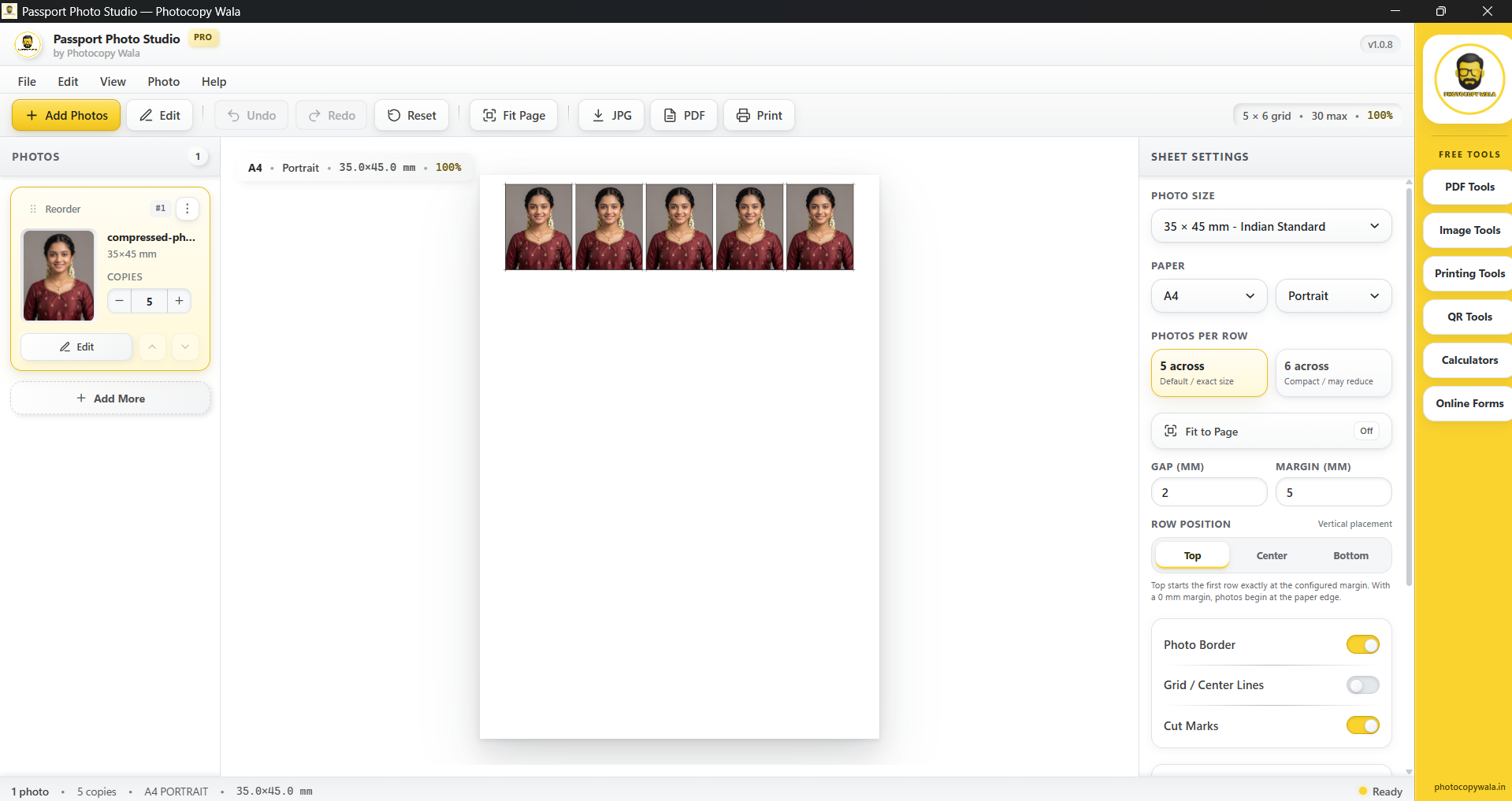
Arrange multiple copies of the same photograph on a sheet.
5. Prepare the Output
Review the layout and create the final sheet for printing or supported digital output.
Designed for Photocopy Shops & Photo Studios
Passport Photo Studio is intended for businesses that prepare passport photos repeatedly.
It can be useful for:
- Photocopy Shops
- Photo Studios
- Cyber Cafés
- Printing Shops
- Document Centres
- Online Form Centres
- CSC-Type Service Centres
- Small Business Operators
- Office and Administrative Use
Instead of opening several tools for one small photo job, you can keep the workflow focused around passport-photo preparation.
What You Can Do
Crop and Position Photos
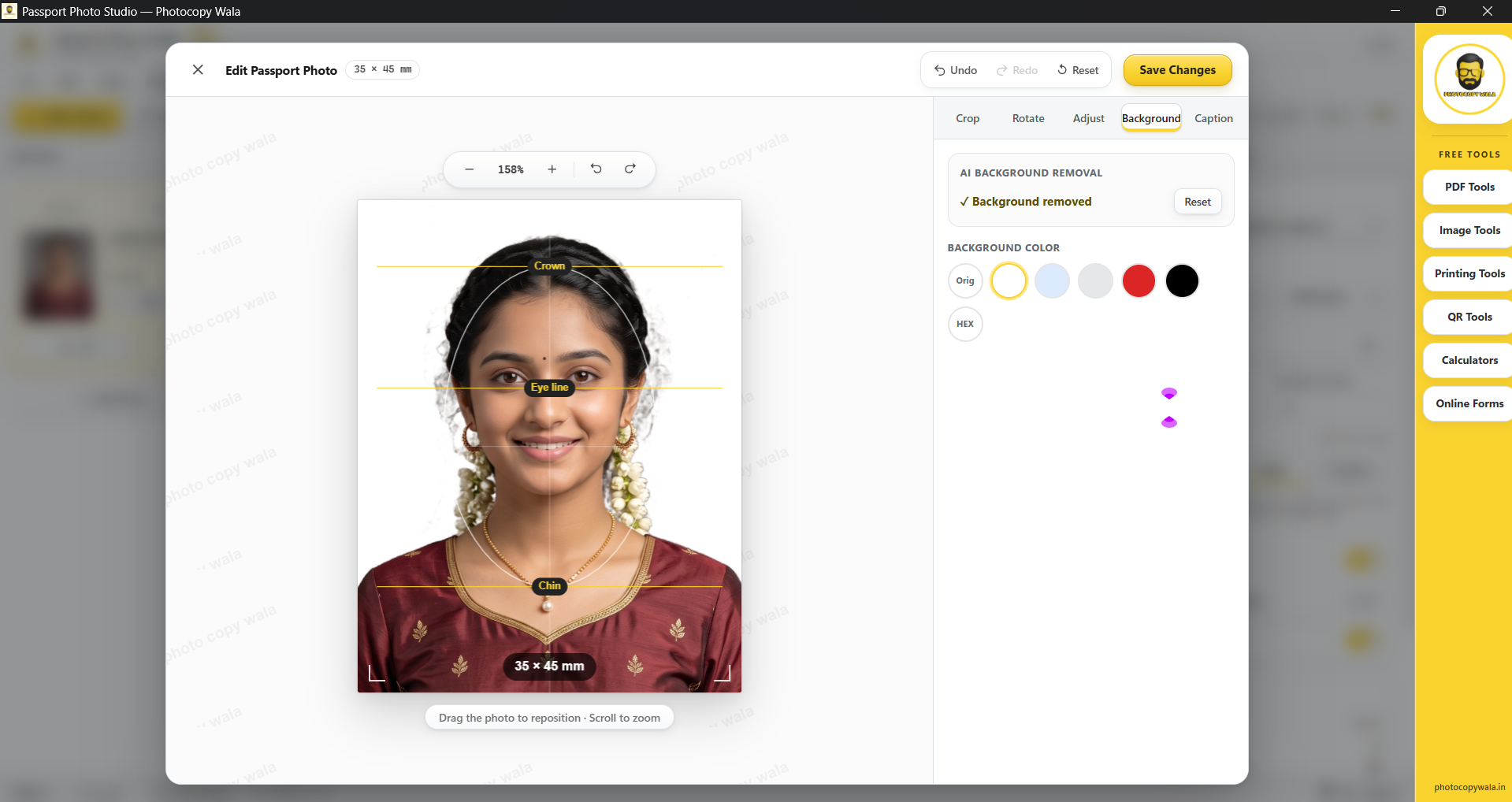
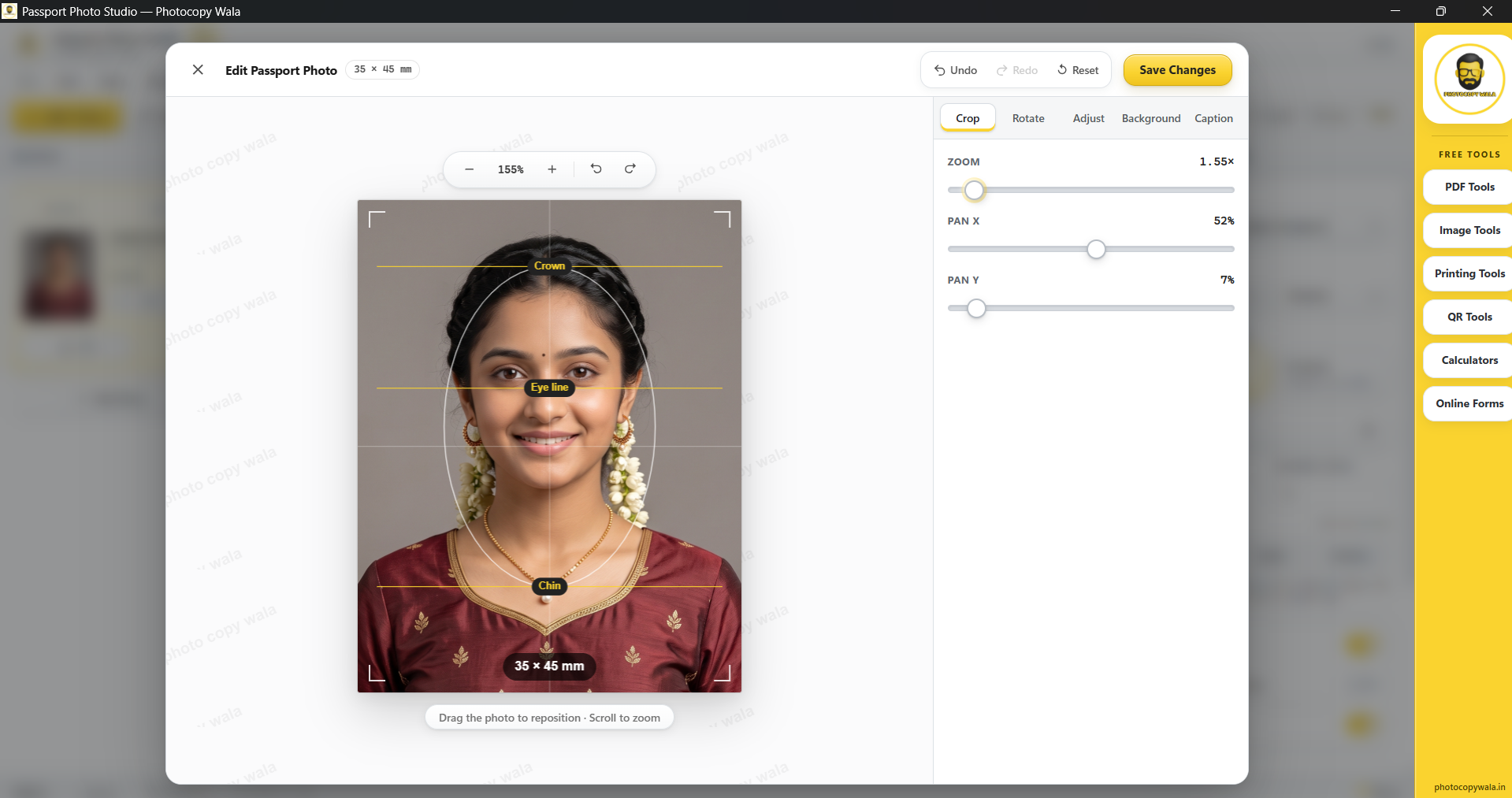
Adjust the customer’s photograph so that the face and subject are positioned correctly within the required photo area.
Zoom and Rotate
Fine-tune the photograph using available zoom and rotation controls.
Prepare Multiple Copies
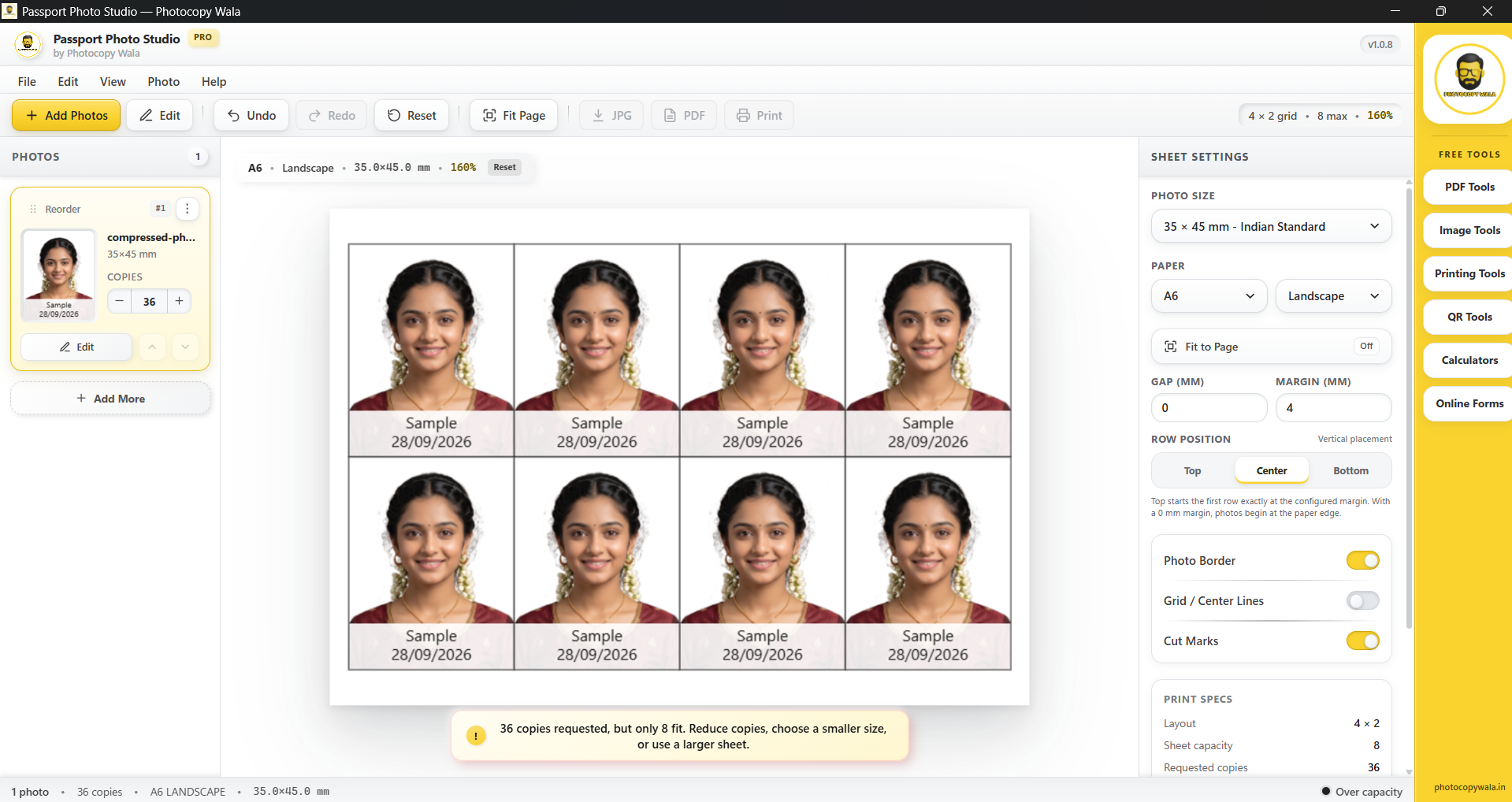
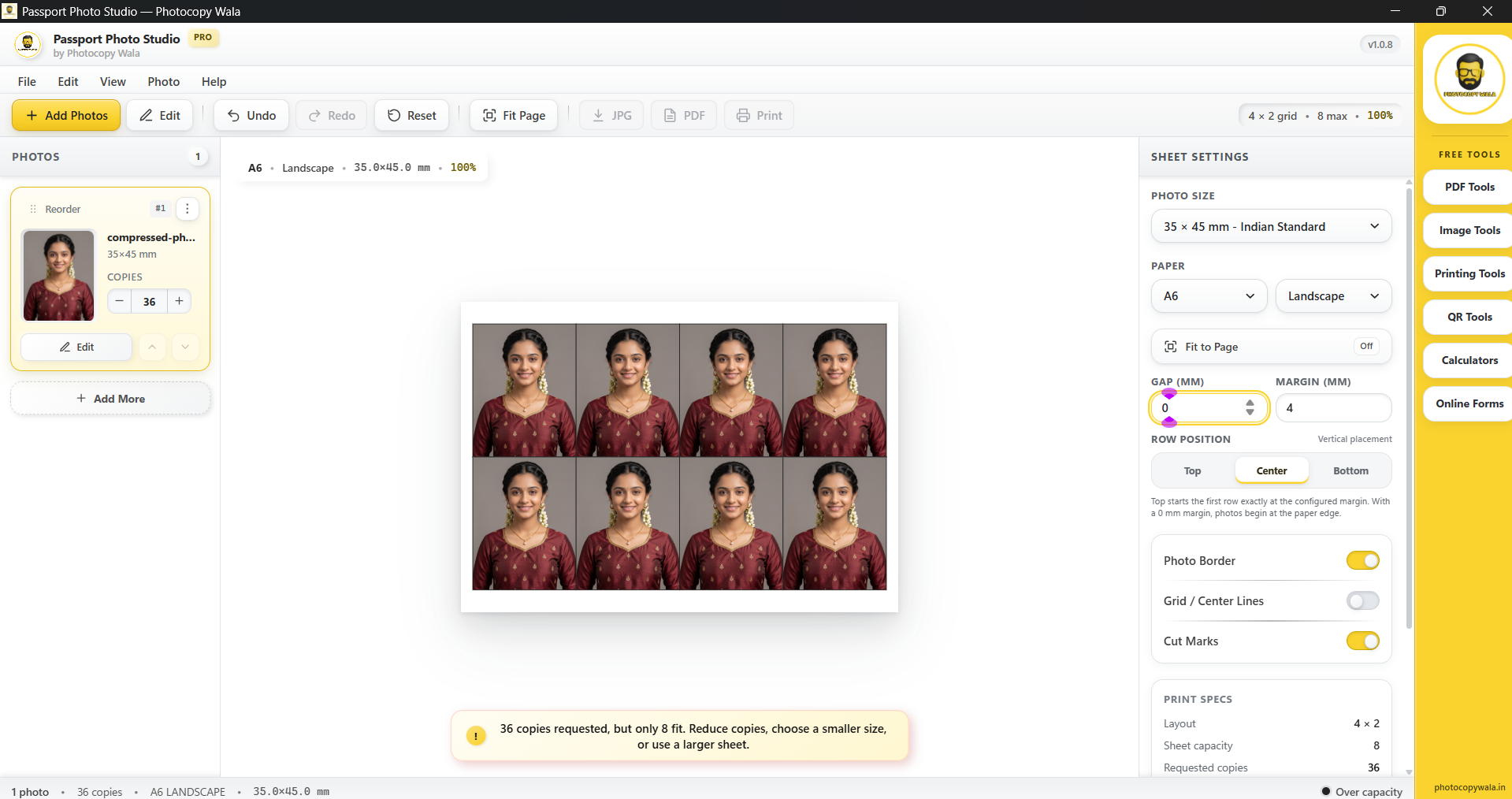
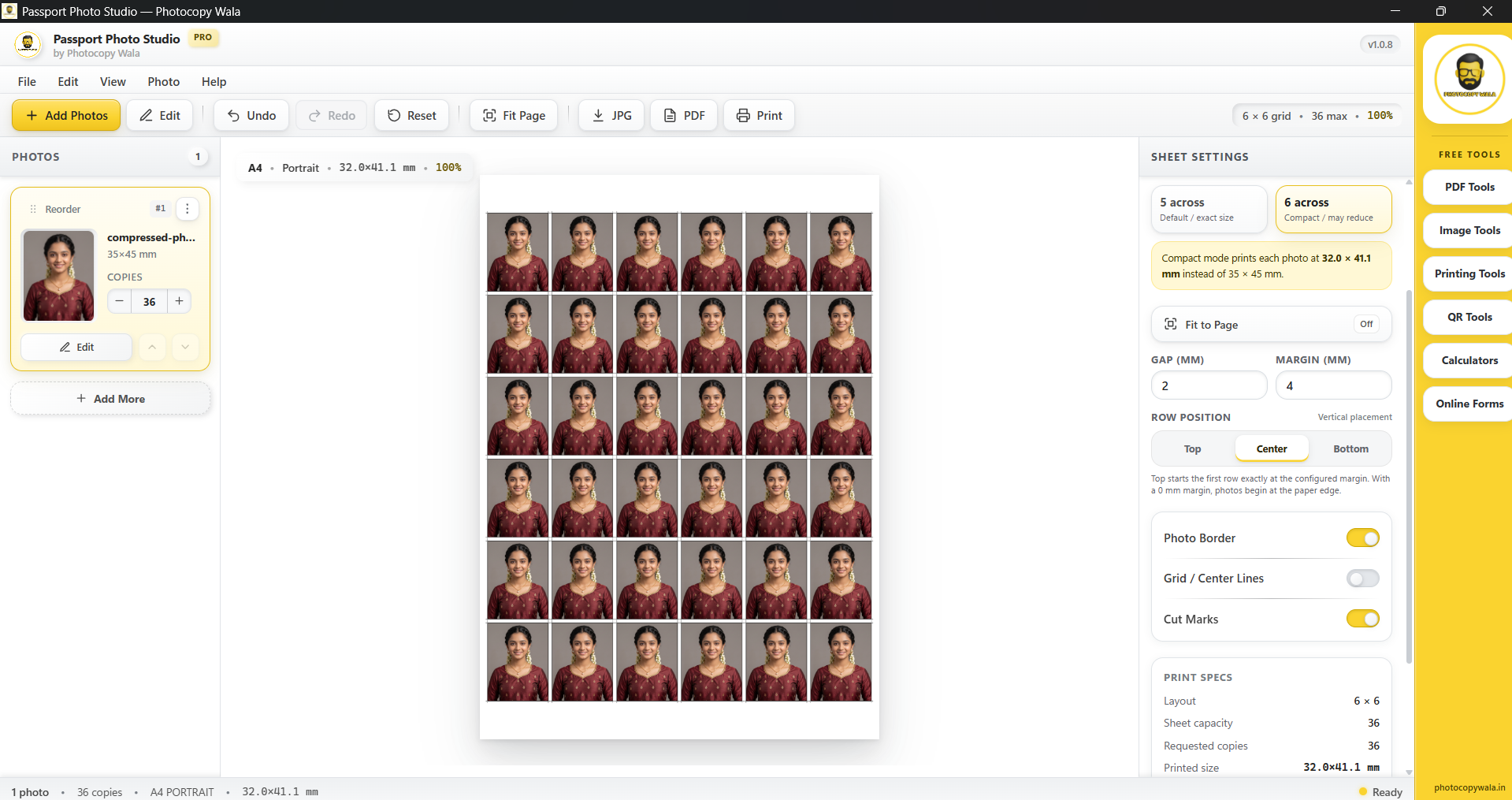
Create several copies of the same passport photograph on a single sheet instead of arranging each copy manually.
Adjust the Image
Use the available image adjustment tools to improve the photograph before preparing the final layout.
Work With Background Options
Use the available background controls when a different passport-photo background is required. (Free Only, No Paid background Remove Options)
Add Text Where Required
Where supported by the application, add details such as a name, date, or other required text.
Prepare Print-Friendly Layouts
Arrange photographs into a convenient sheet layout for printing.
Why Use a Dedicated Windows Application?
Browser-based tools can be useful for an occasional photograph.
For a shop handling passport-photo work regularly, a dedicated Windows application can provide a more focused workflow.
With Passport Photo Studio, the objective is simple:
Open the application → Prepare the photo → Arrange copies → Create the output
There is less need to move between unrelated editing tools for routine passport-photo jobs.
See What You Are Buying
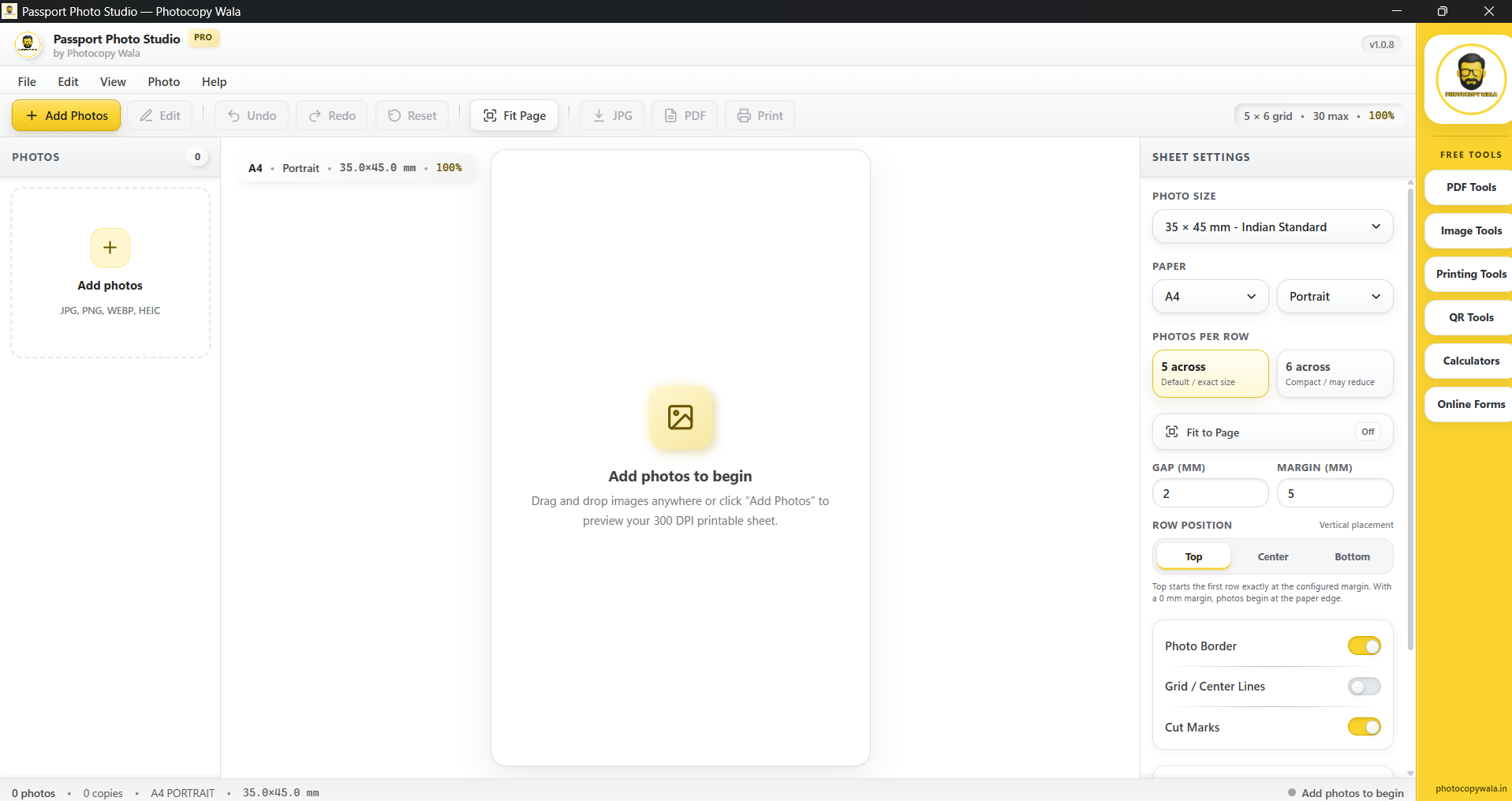
Passport Photo Studio is a real Windows desktop application.
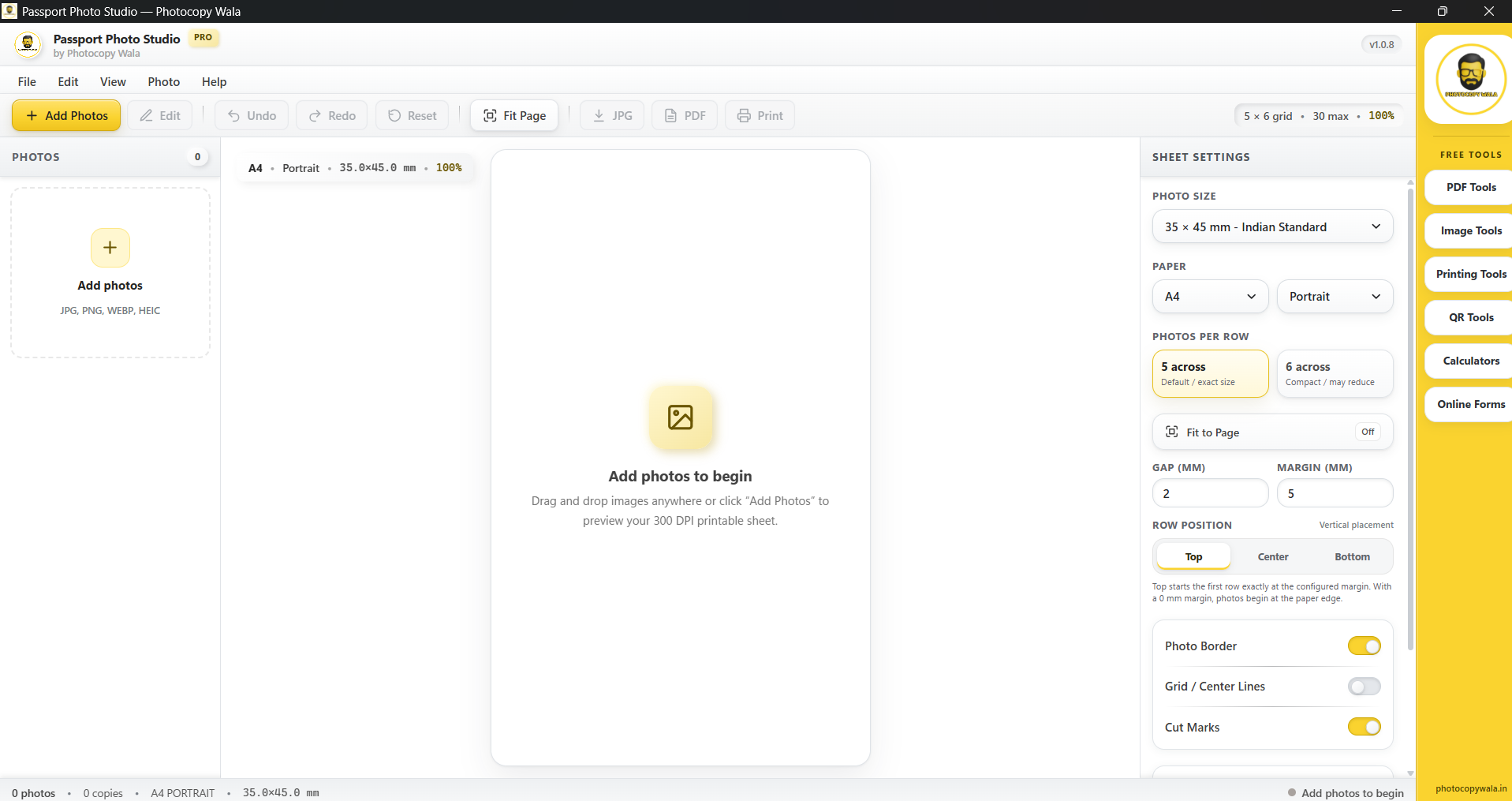
The product page may include screenshots showing the actual interface, including areas such as:
- Photo Import
- Crop and Position
- Zoom Controls
- Image Adjustments
- Background Controls
- Photo Layout
- Multiple Copies
- Print or Export Workflow
We recommend reviewing the product screenshots and available demo before purchasing.
Digital Product Delivery
Passport Photo Studio is a digital product.
There is no physical shipment.
After your payment is confirmed, you will receive product-access information at the email address used during checkout.
Depending on your order, the email may contain:
- Order Confirmation
- Tax Invoice
- Customer Account Information
- Secure Product Download Link
- Product Version Information
- Download Instructions
Secure Download Link
For security, the product download link may be valid for a limited period.
A generated secure link may expire after approximately:
10 Minutes
If the temporary link expires, your product purchase does not automatically expire.
You can sign in to your Photocopy Wala account and access your eligible purchased products again.
Your Product Stays Connected to Your Account
Your purchase is linked to the customer account associated with your order.
After signing in, go to:
My Account → My Products
From there, you may be able to:
- View Your Purchased Product
- Check Your Order
- Download the Current Eligible Version
- Generate a New Secure Download Link
- View Available Product Updates
- Access Eligible Future Versions
- View Your Invoice
This means you do not have to depend permanently on the original download email.
Future Product Updates
When a newer version of Passport Photo Studio is released, customers with an eligible upgrade entitlement may be able to download the newer version from the same Photocopy Wala account.
For example:
Purchased Version: 1.0.5
New Version Available: 1.1.0
Upgrade Access: Active
Download Latest Version
Future upgrade availability depends on the update terms included with your purchase.
Please check the product offer before ordering to see whether your purchase includes:
- Lifetime Updates
- Updates for a Limited Period
- Updates Within a Particular Version
- No Future Upgrades
Manual Payment Option
If the automated payment system is temporarily unavailable, we may enable a Manual Payment option.
You may be provided with:
- QR Code
- Payment Link
- UPI Details
- Payment Instructions
After payment, you may need to upload a clear payment screenshot and provide the transaction reference or UTR number.
Manual payment orders may remain On Hold until our team verifies the transaction.
Once the payment is confirmed, your product access and invoice will be processed.
After Manual Payment
You may see this message after submitting payment proof:
Payment Proof Received
Your payment proof has been submitted successfully. We’ll verify your payment and confirm your order shortly.
Once approved, we’ll send your order confirmation, invoice, and secure product download link to your registered email address.
Your purchased product will also be linked to your Photocopy Wala account, allowing you to access it again and download eligible future upgrades.
If you don’t see our email in your inbox, please check your Spam, Junk, Promotions, or Updates folder.
Please Use the Correct Email Address
Your checkout email address is important.
We may use it for:
- Order Confirmation
- Invoice Delivery
- Product Download
- Account Access
- Password Reset
- Product Updates
- Support Communication
Please verify your email address before completing the order.
Didn’t Receive the Email?
If your order has been confirmed but you cannot find our email, please check:
- Inbox
- Spam
- Junk
- Promotions
- Updates
You can also search your mailbox for:
Photocopy Wala
If you find our message in Spam or Junk, mark it as Not Spam so future order and update emails are more likely to arrive in your inbox.
System Requirements
Before purchasing, make sure your computer meets the requirements shown for the current product version.
Supported Platform
Windows x64
The exact Windows versions supported should be confirmed from the current release information before purchase.
Internet Connection
An internet connection may be required for activities such as:
- Downloading the Product
- Accessing Your Customer Account
- Receiving Updates
- Generating Secure Download Links
If the application itself supports offline operation after installation, that should be stated separately on the product page.
What You Receive
Your purchase includes the product access described on this page.
Depending on the current offer, this may include:
- Passport Photo Studio Windows Application
- Current Eligible Software Version
- Secure Digital Download
- Customer Account Access
- Invoice
- Eligible Product Updates According to the Offer
- Product Access Through My Account
Important Before Purchasing
Please review the following before ordering:
- Confirm That You Use a Supported Windows Computer
- Review the Product Screenshots
- Review the Current Version
- Check the Features You Need
- Review the Update Policy
- Enter the Correct Email Address
- Enter Correct GST Details if Required
- Read the Refund & Returns Policy
Because this is a downloadable digital product, refund eligibility may be limited once product access or a successful download has been provided.
Need Help?
For assistance with payment verification, order confirmation, invoice delivery, product access, expired download links, or eligible software updates, contact us with your Order Number and Registered Email Address.
Shrimo Innovations Private Limited
Email: info.shrimo@gmail.com
Phone: +91 9907472038